Repeating lessons
Choose a weekday and time once instead of rebuilding the same calendar every week.
Recurring timetable template
Art class management software for the regular teaching week. Set repeating lessons once, connect students with instructors and rooms, and review parallel classes in one shared timetable.

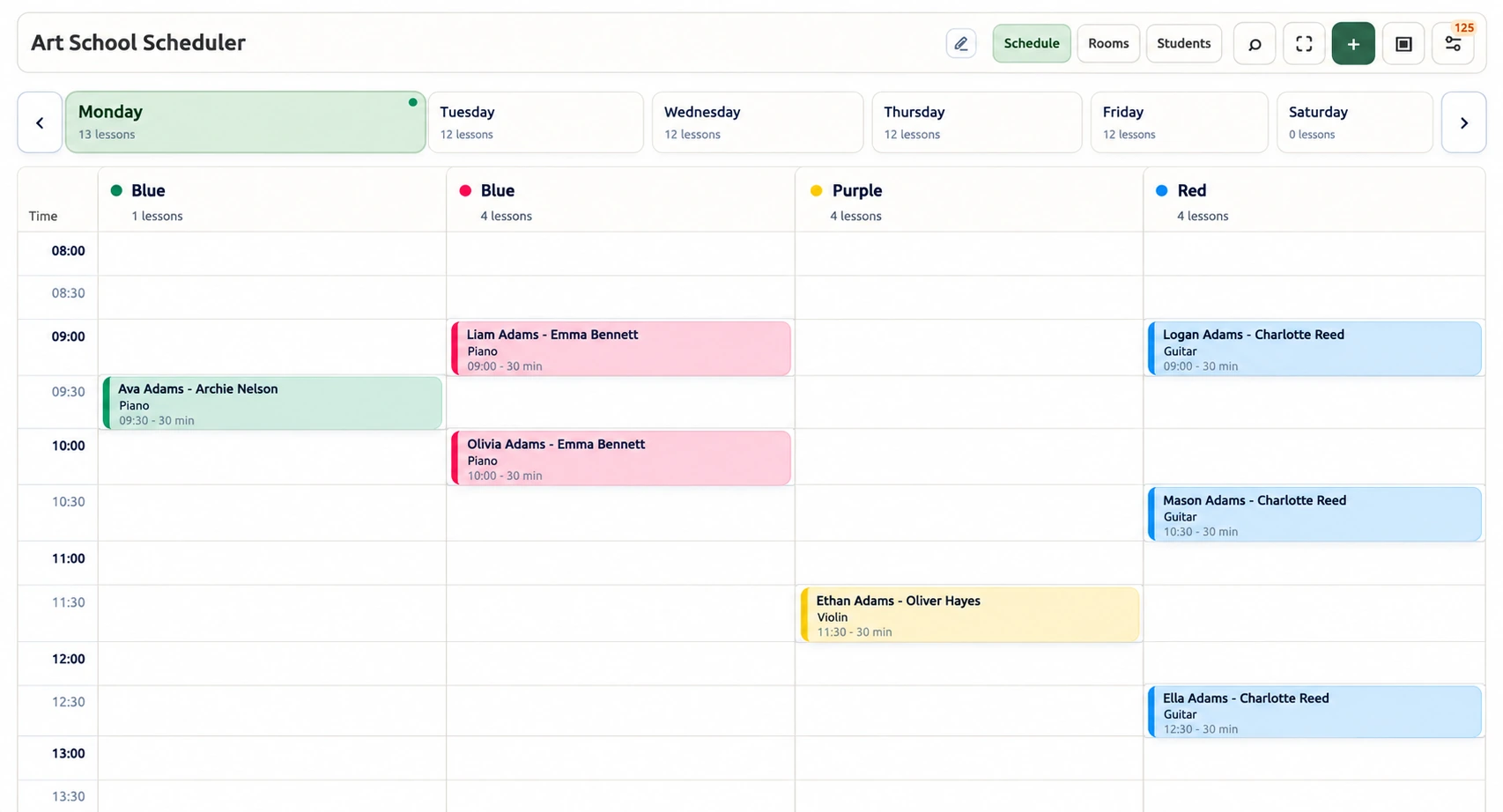
The working view
Lessons stay anchored to weekdays and times, with students, instructors and rooms visible in one shared timetable.
What it organizes
Choose a weekday and time once instead of rebuilding the same calendar every week.
Connect each lesson to students, instructors and the room where it happens.
Run simultaneous classes and make room or instructor conflicts easier to notice.
Adapt the language
Rename the template for music schools, personal trainers, tutors or any team built around recurring sessions.
Try before you start
Step-by-step guide
Build the regular teaching week around the people and rooms you have. Start with a small, readable timetable, then check parallel lessons before using it as the team’s working schedule.
Read the guide →From a spreadsheet to a shared timetable
Use one regular week as your starting point. Prepare your student, instructor and studio lists before adding lessons.
Add students and instructors, then identify the room or studio used by each lesson. Keep names consistent so staff can find the right person quickly.
For example, place a drawing lesson on Tuesday at 16:00 and assign its students, instructor and studio. The recurring timetable represents that regular weekly pattern.
If a painting class also starts at 16:00, check that its instructor and studio are available. The visual calendar helps you spot overlaps; staff remain responsible for reviewing the plan.
This template suits art studios, music courses and tutoring teams with a regular weekly rhythm. For admissions inquiries and school appointments, explore the school scheduling solution.
Before you start
Yes. The template plans repeating weekday-and-time lessons across students, instructors and rooms. Parallel lessons are visible in the weekly timetable.
The visual timetable helps staff notice overlapping lessons and resource conflicts. Review availability before confirming the schedule; do not assume automatic optimization.
No. It focuses on class scheduling, contacts, instructors and rooms rather than a full SIS, LMS or billing system.
VolaCRM Cloud is free during early access, with up to 6 workspaces and 2 concurrent sessions. No credit card required. The cloud workspace stores data online. Browser tools keep data in the current browser without cross-device synchronization.
Public product pages and guides are available in English and Turkish. Open the matching language page to review the workflow.