Community gardens
Create tasks for mowing, communal weeding or planting. Request each contributor’s update directly and review it privately rather than circulating a shared contribution spreadsheet.
Construction & implementation planning
Plan community, permaculture, construction and implementation projects on one timeline. Ask contributors for progress or days worked through a secure link, then review each report.

New · Private task feedback
Keep the plan and the work reported by contributors together. Share a secure task link, collect an update without requiring an account, and review it before changing official progress.
Choose Completion percentage or Days worked, copy a secure short link, and approve or reject reports in the Feedback tab beside Files.
Read the step-by-step guideCreate tasks for mowing, communal weeding or planting. Request each contributor’s update directly and review it privately rather than circulating a shared contribution spreadsheet.
Plan bed preparation, irrigation, composting and seasonal planting. Use percentage for a deliverable and days worked for time spent on a task.
Schedule preparation, electrical work or painting. Ask a crew member for progress, review the report, and keep approved progress on the timeline.
The working view
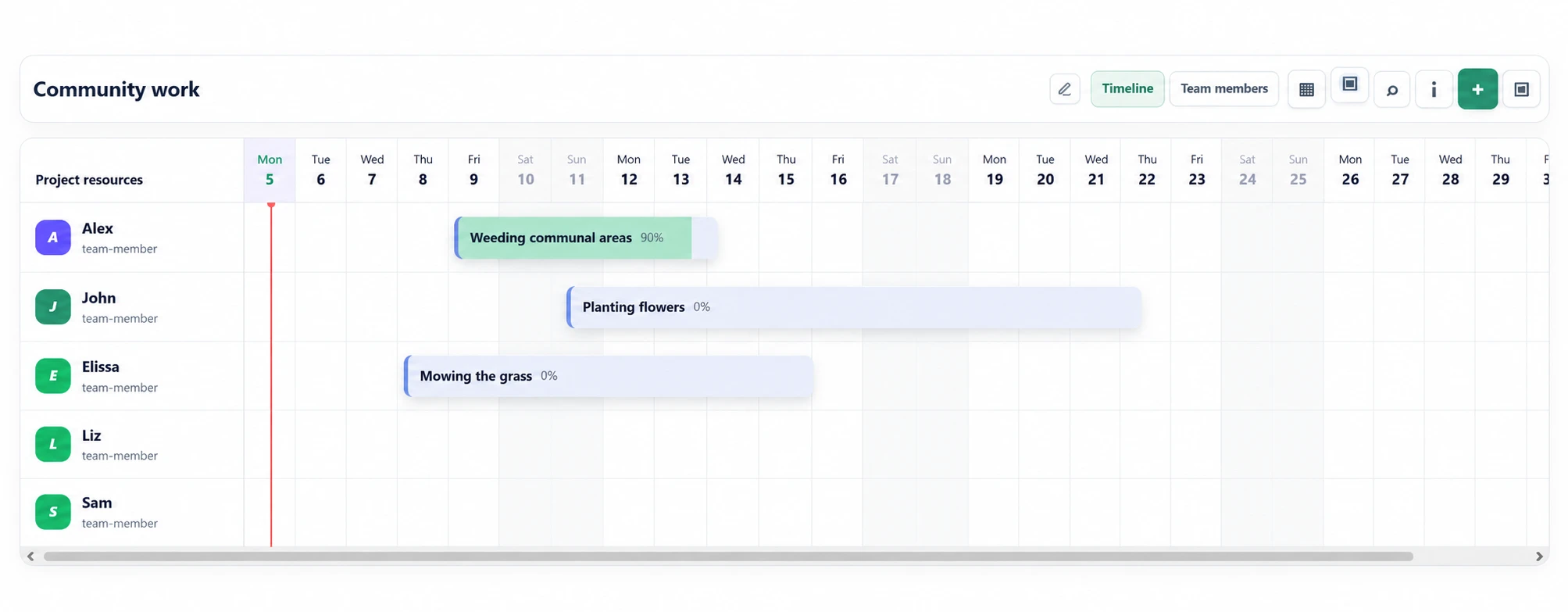
See site work, installation steps, renovation packages, development work or implementation tasks against the people and resources responsible for them.
What it organizes
Set the project range and place each phase or work package where it belongs on the timeline.
Assign work to crew members, specialists, equipment owners, developers or implementation resources.
Adjust how long work should run and keep progress visible as the thing being built moves forward.
Physical or digital construction
For buildings, fit-outs, field installations and renovations, map crews and work packages. For software, products and system implementations, map development, rollout and delivery phases.
Start with the build plan
Small renovation example
For a fictional office renovation, plan preparation on Monday, electrical work on Tuesday and painting on Thursday. Give each work item an owner, a start and a duration. When dates change, review the timeline and communicate the updated plan to the crew.
This view supports people and work-duration planning. Evaluate budgeting, valuations, critical-path analysis or automatic resource leveling separately if required. For software and system implementation projects, use the same timeline for development, testing and rollout work.
Before you start
Use a shared timeline to plan work across dates, duration, people and resources. Start with the project date range and assign the responsible person or resource to each work item.
No. The template focuses on visual planning and coordination. Do not assume estimating, procurement, payroll or accounting modules are included.
VolaCRM Cloud is free during early access, with up to 6 workspaces and 2 concurrent sessions. No credit card required. The cloud workspace stores data online. Free Personal Tools instead keep data in the current browser without cross-device synchronization.
Public product pages and guides are available in English and Turkish. Open the matching language page to review the workflow.